
Home Security Camera - SeeCiTV
Geny StudioHouse & Home
4.21.93K Reviews
- Version
- 7.8
- Installs
- 1.00M
- Age Rating
- Everyone
Screenshots
Our Review of Home Security Camera - SeeCiTV
 Analysis by Appyee
When I first considered using an old phone to keep an eye on home, I wondered whether setting it up would be more trouble than it was worth. Home Security Camera - SeeCiTV is aimed at making that spare device useful for watching a room, a pet, or a baby. It is a free House & Home app from Geny Studio, and its focus is practical: put a phone in place, then check in remotely. I’d treat it as a convenient extra set of eyes, rather than a full replacement for a purpose-built security system.
Getting Started with SeeCiTV
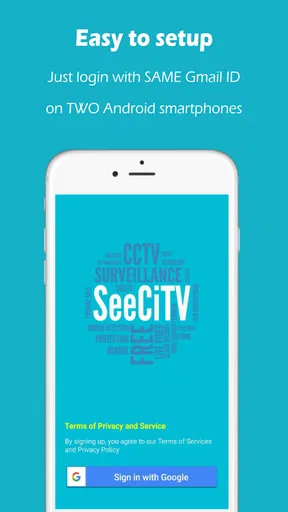
First things first, setting up the SeeCiTV app is a breeze. I was pleasantly surprised at how user-friendly it is. You just download it from the app store, and boom, you’re almost there. The app walks you through the setup process with clear instructions, and I didn’t even have to Google anything—which, let’s be honest, is a win in my book.
What’s really cool is that you can use any spare smartphone as a security camera. That old phone you’ve got collecting dust in your drawer? It’s now a surveillance powerhouse. This app is perfect for those of us who don’t want to buy expensive cameras but still want some peace of mind.
Features That Stand Out
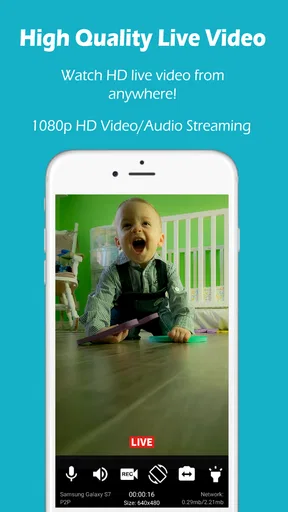
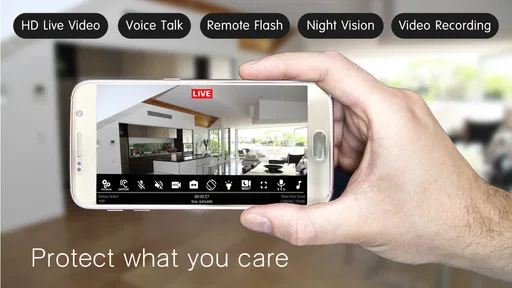
Let’s talk features because this is where SeeCiTV really shines. The app offers live streaming so you can monitor your space in real-time from anywhere. Whether you’re at work or on vacation, as long as you’ve got internet, you’re good to go.
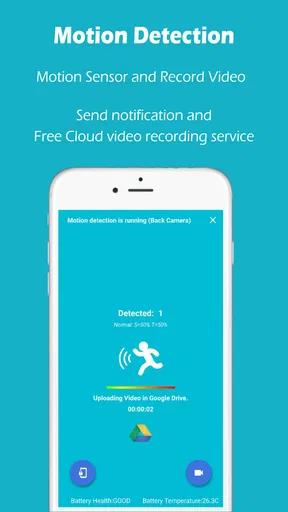
Another great feature is the motion detection capability. The app can send you instant alerts whenever it detects movement. I set it up to alert me if there’s any unexpected activity while I’m away. The sensitivity can be adjusted, so you don’t get bombarded with alerts every time a leaf blows by your window.
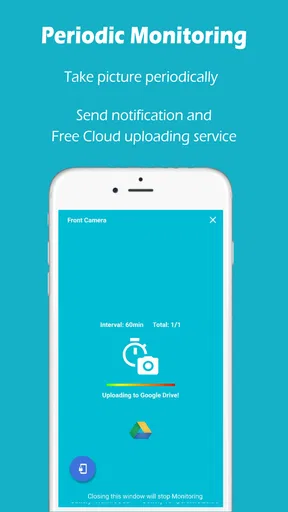
For those who like to keep a record, the app allows you to store your footage. You can either save it locally on your device or opt for cloud storage. I found the cloud option really convenient, as it ensures that your recordings are safe even if something happens to your phone.
How Secure Is It?
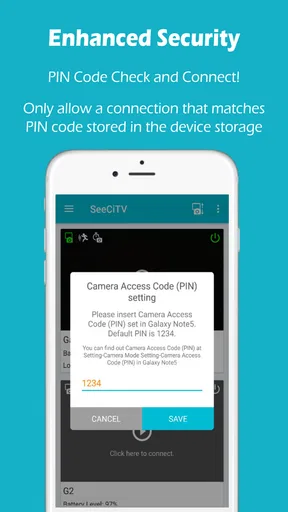
Security is obviously a big deal when it comes to home surveillance, and SeeCiTV takes this seriously. The app uses encryption to protect your data, which gave me some peace of mind. Plus, there are customizable security settings that let you control who can access your cameras and when.
One thing I appreciated is the app’s commitment to privacy. It doesn’t require unnecessary permissions, so you’re not giving it access to your entire life just to keep an eye on your living room.
User Experience and Interface
If you’re worried about having to navigate a complicated interface, worry no more. The SeeCiTV app has a clean, intuitive design that’s easy to use. Everything is where you’d expect it to be, and the learning curve is minimal. Whether you’re a tech wizard or a total newbie, you’ll find it straightforward to use.
There’s also a handy night mode feature, which is a lifesaver for those of us who like to keep our homes dark and cozy at night. It switches on automatically, so you don’t have to fiddle with settings every evening.
Staying Connected
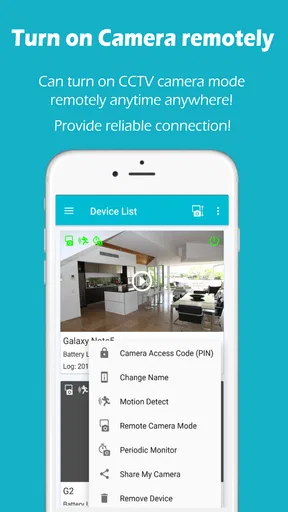
One of the aspects I love most about this app is how it keeps you connected with what matters most. You can set up multiple cameras around your home and view them all from a single dashboard. This is perfect for folks with larger spaces or those who want to keep an eye on different areas simultaneously.
The app also supports two-way audio, which means you can not only see what’s happening but also communicate through the camera. Whether you’re telling your dog to get off the couch or scaring off an intruder, this feature is super handy.
Making the First Check-In Count
For a first-time user, I’d start with one phone and one view rather than trying to cover the whole home straight away. Choose a stable place with a clear view of the area you care about, then check the live picture from the phone you’ll use to monitor it. That simple test helps catch the practical snags early: a camera aimed too high, a doorway outside the frame, or a spot where the phone might be bumped.
A useful first success is not simply seeing a picture; it’s knowing the view is useful for the situation you care about. For example, if I wanted to check whether a pet had settled after I left, I’d position the camera to show the pet’s usual resting area and test the stream before heading out. I’d also test motion alerts while still at home, so I could adjust sensitivity if ordinary movement creates too many notifications.
One trade-off with repurposing a phone is that placement and power become part of the setup. A phone that is easy to position may not be near a convenient outlet, and a camera view can be spoiled by sunlight, reflections, or people walking close to the lens. I’d choose a secure, steady surface and avoid placing the device where it could be knocked down. A quick check from the viewing phone is more useful than assuming the camera sees exactly what you intended.
Choosing the Right Job for a Spare Phone
This approach suits short, practical check-ins: seeing whether a child has woken from a nap, checking on a pet while you’re in another room, or keeping an eye on an entryway during a delivery window. It can also be handy while you’re temporarily away and want a view of a specific room. The app’s motion alerts and two-way audio make those situations more useful than a silent live feed alone.
It is less suited to someone who needs a dedicated, always-on system with carefully planned installation, multiple fixed camera positions, or a solution designed around professional monitoring. A spare phone is still a consumer device that needs a good position and a reliable connection. If you need dependable coverage across a large property or want hardware built for permanent outdoor use, a dedicated security camera system is the more sensible choice.
Compared with buying a standalone indoor camera, the appeal here is getting another use from equipment you already own. The compromise is that a phone may be awkward to mount, and you are making that device serve as camera hardware rather than using a purpose-built unit. Compared with a basic webcam, the phone-based setup is easier to relocate around the home, while the app’s remote viewing and alerts are the main reasons to use it instead of simply pointing a camera at a room.
Small Checks That Prevent Frustration
Before relying on alerts, I’d spend a little time observing what the camera sees during normal activity. A window facing a busy street, moving curtains, or a television in view can create activity that is not important to you. Adjusting motion sensitivity and changing the camera angle can make notifications more meaningful. The goal is not to capture every movement; it is to notice the movement that would prompt you to check in.
It also helps to decide in advance whether you need a recording or only a live view. Local storage keeps footage on the device, while cloud storage offers a different place for saved clips. I’d choose based on how I plan to review footage and where I’m comfortable keeping it, rather than turning on every option automatically. If a recording matters, check that the chosen setup is working before you depend on it.
For privacy, I’d be deliberate about where the camera points and who can access it. A view of a shared room is different from a view into a private space, especially if other people live with you or visit. The app’s access controls are worth reviewing during setup, and it is sensible to tell household members when a camera is being used. Remote monitoring is useful, but it should not come at the cost of other people’s comfort.
What to Expect Over Time
The app is free to download, with in-app purchases ranging from $0.99 to $9.99 per item. It is rated for Everyone, and its current version is 7.8; it requires Android 5.0 or later. Its average rating is 4.2 from around 17,000 ratings, with about 1,900 written reviews, and it has passed one million installs. Those figures suggest that many people have tried it, but they do not tell me whether it will suit every home or every spare phone.
I would treat the first day as a trial run rather than immediately depending on it for something important. Check whether the stream is convenient to access, whether alerts arrive at useful times, and whether the camera remains in position. If you plan to use it for a baby or a pet, remember that a phone camera is a way to observe, not a substitute for being nearby when care is needed. For security, it can add visibility, but it should not be the only measure protecting a home.
That distinction is the main thing I’d want a new user to understand: SeeCiTV can make an old phone genuinely useful, but the result depends on sensible placement, a tested connection, and realistic expectations. When those pieces line up, it is an approachable way to check a particular room without buying another camera straight away.
Final Thoughts
All in all, the Home Security Camera - SeeCiTV app is a solid choice for anyone looking to enhance their home security without investing in pricey equipment. It’s easy to use, packed with features, and doesn’t skimp on security.
Whether you’re tech-savvy or just starting out, this app makes home surveillance accessible for everyone. So, if you’ve got an old phone lying around and want to put it to good use, give SeeCiTV a try. It just might be the security solution you’ve been searching for.
Verdict
Strengths of Home Security Camera - SeeCiTV
- Easy setup with step-by-step guide.
- Supports multiple cameras simultaneously.
- Cloud storage for recorded videos.
- Motion detection alerts are reliable.
- Remote access from any device.
Limitations of Home Security Camera - SeeCiTV
- Limited free cloud storage space.
- Requires stable internet connection.
- Some features are behind a paywall.
- Occasional app crashes reported.
- Battery drain on mobile devices.
Similar Picks in This Category
View All
Universal TV Remote Control
CodeMatics Media Solutions3.9

AlfredCamera Home Security app
Alfred Systems Inc.4.7

Planner 5D: AI Home Design
Planner 5D4.5

Universal Tv Remote-Cast to TV
One Music Player4.1

Zillow: Homes for Sale & Rent
Zillow Group4.8

99acres Buy/Rent/Sell Property
infoedge.com4.3
Frequently Asked Questions
What features does the Home Security Camera - SeeCiTV offer?
SeeCiTV provides a comprehensive suite of features, including real-time video streaming, motion detection alerts, and night vision capabilities. The app supports multiple camera feeds, allowing users to monitor different areas simultaneously. Additionally, it offers cloud storage options for recorded footage, ensuring that users can access their videos anytime, anywhere.
Is the Home Security Camera - SeeCiTV app easy to set up?
Yes, the app is designed with user-friendliness in mind. It offers a straightforward setup process with step-by-step instructions. Users can easily connect their cameras to the app via Wi-Fi, and the intuitive interface ensures a smooth experience for both beginners and tech-savvy individuals.
What are the subscription options for SeeCiTV?
SeeCiTV offers both free and premium subscription plans. The free version provides basic features, while the premium plan unlocks advanced functionalities such as extended cloud storage, higher resolution streaming, and additional security features. Users can choose a plan that best suits their needs and budget.
How secure is the SeeCiTV app?
Security is a top priority for SeeCiTV. The app utilizes end-to-end encryption to protect video streams and user data. Regular security updates are provided to address any potential vulnerabilities, and users have the option to enable two-factor authentication for added protection.
Can I access SeeCiTV remotely?
Absolutely. SeeCiTV allows users to access their camera feeds remotely from anywhere with an internet connection. The app is compatible with both Android and iOS devices, ensuring that you can monitor your home or office on the go, providing peace of mind no matter where you are.
